
Wholesale Electronics Accessories: Buying Checklist
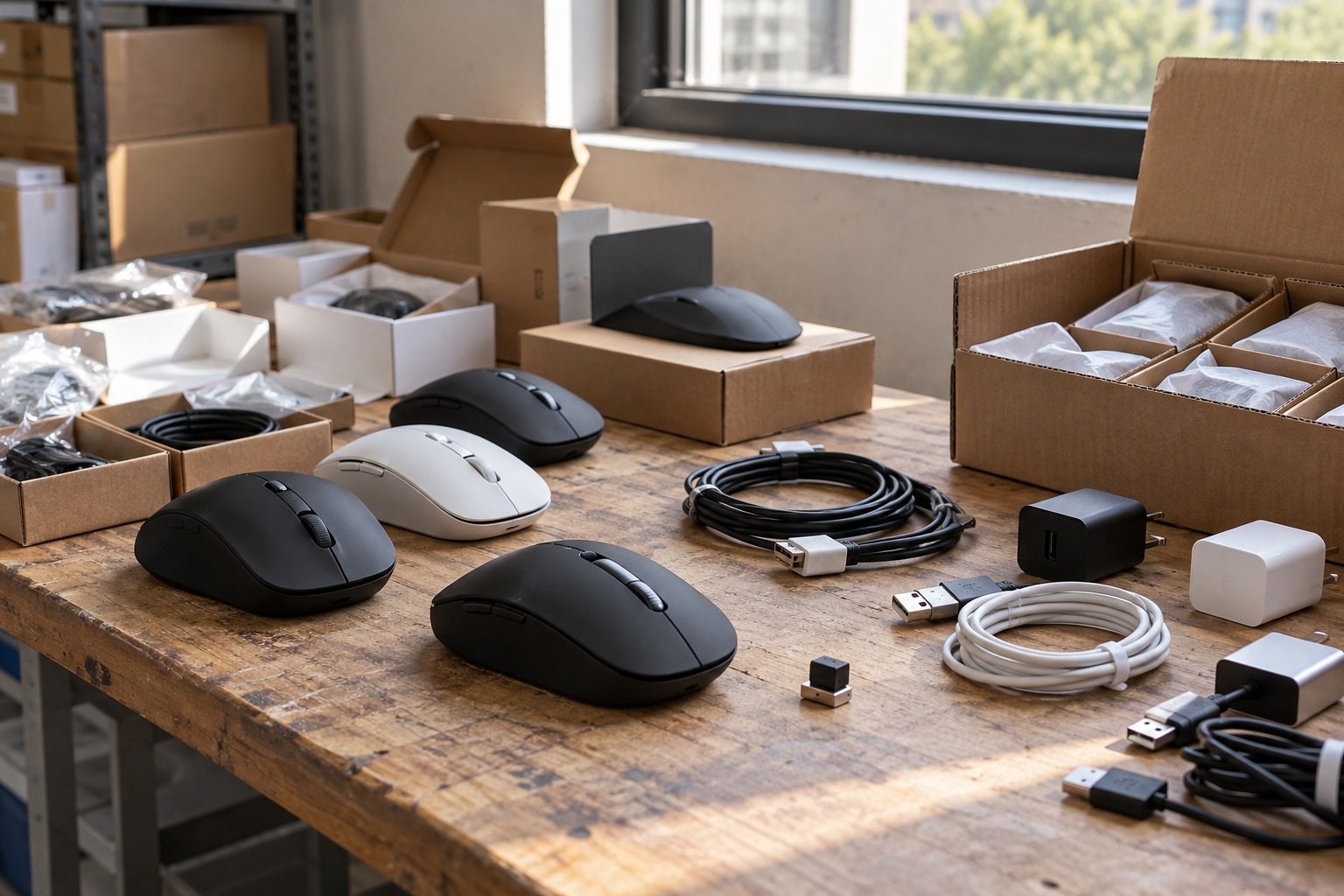
Before buying wholesale electronics accessories, verify the exact model, connection type, included parts and testing information. A low unit price is only useful when the accessory works with the devices your customers own and arrives with what they need to use it.
This checklist is for US retailers and resellers evaluating smaller electronics lots, including computer mice and charging accessories. The wholesale electronics buying guide covers the wider questions of condition, testing and freight.
Identify the product precisely
Write down the manufacturer, model number and any revision shown on the packaging. Similar-looking accessories can have different connectors or features. Match the physical item to its model documentation rather than copying specifications from a search result for a related product.
For a mouse, ask whether it connects through Bluetooth, a USB receiver or a cable. If a receiver is required, establish whether one is included for every unit and whether it is paired to the device. For a charger, check the connector, input and output markings, and the devices the manufacturer says it supports.
Separate connector fit from feature compatibility
Two products may share a plug shape without supporting the same charging features or data functions. A connector photograph is not enough to promise fast charging, a particular transfer speed or compatibility with an entire phone brand.
Keep the customer’s device model and intended use in your description. “Micro-USB wall charger” is more useful than “works with all phones.” If a feature is not confirmed in the exact model documentation or a suitable test, leave it out of the sales claim.
Check what each sellable unit includes
- Computer accessories: receivers, cables, batteries where specified, and instructions.
- Charging accessories: adapters, cables, connector types and relevant packaging.
- Retail presentation: whether items are individually boxed, loose or packed in bulk.
- Condition: new, open box, returned or untested, using the lot’s written description.
- Support: warranty terms, if any, and who handles a buyer’s fault report.
Ask for close photographs of package contents and labels. Do not buy replacement receivers or power adapters on the assumption that any similar-looking part will work. Confirm compatibility and include the extra cost before committing to the lot.
Use Atlas examples to ask better questions
Atlas lists a 5,846-unit D-09 wireless gaming mouse lot and a 1,636-unit Verizon Micro-USB wall charger lot. For the mouse, confirm the connection method, receiver supply and tests performed. For the charger, verify the model markings and supported use; the listing’s charging language should be checked against the actual item.
These are catalog examples, not a statement that all units have been inspected or that a manufacturer’s warranty applies. Ask for current availability, packaging details and a written quotation. Use the Atlas condition guide to frame questions, then rely on the agreement for the specific lot.
Ask what “tested” means
A useful answer names the test, the number of units checked and the result. A sample inspection tells you something about that sample; it does not confirm the condition of every piece. Record whether the supplier tested every unit, a sample or none.
For mice, an appropriate functional check may include connection, buttons, scrolling and tracking. For electrical accessories, follow manufacturer instructions and use qualified help when electrical inspection is needed. Do not open or repair mains-powered equipment merely to complete a resale checklist.
Search exact identifiers in the CPSC recall database before listing stock. The CPSC online seller guidance makes clear that recalled products cannot legally be sold. Recall checks do not replace other relevant product requirements.
Price the complete, sellable accessory
In a hypothetical order, purchase and inbound freight total $900. Replacement parts and preparation add $100. If 400 units are complete and suitable for sale, the allocated cost is $1,000 ÷ 400, or $2.50 each. Selling fees, outbound shipping, labor and returns still need their own allowance.
Compare this with a lot that arrives complete but costs more upfront. The higher unit price can be easier to manage if it reduces sorting and sourcing work. Use your own expected costs; no standard sellable percentage applies to every electronics lot.
Build a receiving record before you list
Count cartons, record shortages, separate incomplete items and keep inspection notes by model. Retain supplier invoices and relevant documentation. For items you cannot use or sell, consult the EPA electronics donation and recycling guide for suitable disposal options.
Related electronics products in the Atlas catalog
These three listings illustrate different inspection needs. Confirm availability and the actual supplied model before using a product title to build your resale description.
- D-09 wireless gaming mice: advertised lot of 5,846 units. Ask about connection type, receivers, power requirements and unit-level testing.
- Verizon Micro-USB wall chargers: advertised lot of 1,636 units. Check the exact label, cable supply and supported devices. Do not extend a charging claim to every phone.
- LED flashlights: advertised lot of 4,629 units. Confirm the particular model, power source, included batteries or charging equipment, and the functions checked.
Compare complete stock with stock that needs parts
Use a short comparison sheet. For each lot, record the purchase price, included accessories, replacement-part cost, time needed to prepare a unit and expected sale-ready count. Add freight separately so a cheap unit price does not hide a costly shipment.
A complete accessory can still need testing and accurate photography. An incomplete accessory needs a confirmed source for compatible parts as well. If replacement receivers are unavailable or cannot be paired, the mouse may not suit your planned retail channel at all.
Do not treat a missing manual as equivalent to a missing power supply. One may be available through official model documentation; the other can determine whether the device is usable. Rank missing parts by their effect on function, safety and customer understanding.
Turn inspection results into honest listings
Maintain a record for each model or batch that shows what was checked. A listing can then describe the connection type, included parts and actual condition without vague promises. Use photographs of the units you will supply, including relevant cosmetic damage.
If a feature was not checked, distinguish the manufacturer’s documented specification from your inspection result. “The manufacturer lists this feature” and “we tested this feature” are different statements. Do not copy a test claim from another seller’s listing.
Keep package variants separate when they affect contents or compatibility. Mixing similar chargers into one listing can create wrong-item shipments and support questions. A clear model field in your stock record helps the packing team choose the correct accessory.
Use a repeatable receiving workflow
Before delivery, prepare space for received, inspection-pending and sale-ready inventory. Count cartons first, then reconcile units with the manifest. Photograph any shortage or damage while the original packaging is available.
Use a consistent inspection checklist for the model, and retain the date and result. Testing a few units can help you identify a problem, but record the sample size honestly. Never label the whole lot individually tested when only a sample was checked.
Set aside questionable units rather than allowing them to drift into your ready-to-ship stock. Review Atlas returns and claims information and the agreed deadlines before delivery. For unresolved electrical or battery concerns, use qualified assistance rather than an improvised repair.
Frequently asked questions about electronics accessories
Does a USB connector prove an accessory will work with my device?
No. The connector is only part of compatibility. Check the exact product specifications, supported features and your customer’s device. Avoid a universal compatibility claim unless you can substantiate it.
Does “wireless mouse” mean Bluetooth?
No. Some wireless mice use a separate receiver, while others support Bluetooth or more than one connection method. Confirm the model and whether the required receiver is included.
Can I advertise fast charging from the wholesale title alone?
Verify the claim against the actual model and supported charging setup. The cable, charger and receiving device can all matter. Describe confirmed capabilities rather than promising the same result for every device.
Are new accessories automatically covered by a manufacturer warranty?
Do not assume that. Ask which warranty, if any, applies to the supplied stock, whether it transfers to your buyer and what proof of purchase is required.
How can I compare an untested lot with a tested lot?
Obtain the testing scope first. Then budget for inspection, parts and potentially unsuitable units in the untested lot. Use multiple scenarios rather than assuming all stock will function.
What should I do with accessories I cannot sell?
Keep them separate, resolve any supplier claim and consider suitable recycling where appropriate. Do not pass defective or unsafe stock to customers under a vague “as-is” description.
Choose a lot with a clear purchasing plan
Browse Atlas electronics inventory with a clear device and compatibility plan. Ask Atlas Wholesale Group at admin@atlaswholesalegroup.com or +1 (214) 236-7711 for model details, included accessories and delivery information before ordering.